-
Chiellini Pool Soccer
-
 Race It: Car Racing
 -
Airplane Pilot Simulator
-
Broom
-
Two Wheel Stunts SupeR Car
-
 Cornhole League – Board Games
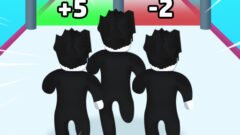


Roblox Run 3d
-
Rating:0/5 (0 votes)
-
Platforms:Browser (Desktop, Mobile, Tablet)
-
Release Date:September 28, 2026
-
Last Update:October 2, 2026
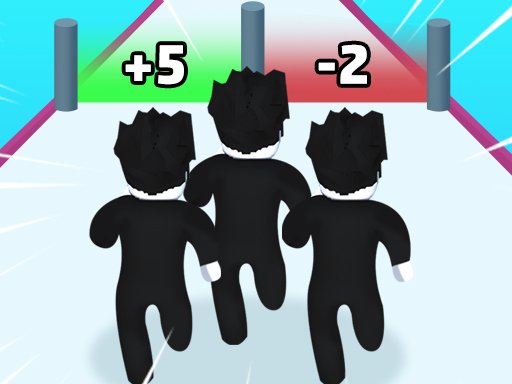
Go to enter the exciting world of Roblox Run 3D! In this game, you will play your favorite Roblox character. Running on a thrilling 3D obstacle course. To show excellent reflexes on the challenging parkour track. You can collect the same characters during the race to form a strong team.
Mouse click or tap to play
Roblox Game Overview
Roblox is not merely a single standalone title, but rather an expansive, ever-evolving metaverse and user-generated gaming platform powered by millions of creative developers across the globe. At its core, the gameplay loop centers around exploring an almost infinite catalog of community-built experiences, spanning high-stakes obstacle courses (obbies), immersive role-playing realms, competitive first-person shooters, and intricate tycoon simulators. Players navigate these worlds using fully customizable 3D avatars, interacting with real-time multiplayer environments built on the proprietary Roblox engine. Whether you are grinding resources to scale leaderboards in an auto-farming simulator, collaborating with teammates to survive catastrophic disasters, or trading ultra-rare virtual assets in an open economy, Roblox demands adaptability. Progression universally ties into mastery of specific sub-genre mechanics, earning in-game badges, acquiring experience-specific currencies, and leveraging Robux for cosmetic or functional upgrades. Because the platform bridges casual social interaction with rigorous competitive mastery, understanding foundational physics quirks, movement optimization, and resource management is crucial for achieving long-term dominance across its most popular titles.
Advanced Pro Strategies
Achieving elite status across high-level Roblox titles requires mastering platform-wide mechanics alongside genre-specific nuances. First and foremost, you must master “Shift-Lock” and fluid camera decoupling; enabling Shift-Lock aligns your avatar’s orientation instantly with your crosshair, enabling razor-sharp platforming precision, rapid cornering in competitive obbies, and superior strafe-shooting in tactical combat arenas. Advanced movement techniques like corner clipping, ladder-flicking, and wall-hopping rely on manipulating Roblox’s physics engine collision boxes by angling your avatar into 45-degree apexes while jumping. For simulator and tycoon experiences, the optimal path to victory involves calculated rebirth timing: never rebirth immediately upon meeting minimum requirements unless the multiplier drastically outpaces your current income generation rate. Always prioritize purchasing passive income and mobility upgrades first before spending on vanity pets or single-use weapons. Lastly, track server latency via in-game diagnostics; accounting for server tick rates will dramatically improve your parry timings, hit registration, and evasion capabilities against opponents in fast-paced competitive servers.
Suggested Features & Mechanics
Understanding avatar architecture is vital: choosing an R6 avatar body rig offers predictable, standardized hitboxes and classic physics momentum ideal for precision platformers, whereas R15 rigs provide enhanced animation fluidity and specialized emote mechanics beneficial in modern action combat games. Powerups such as permanent speed coils, gravity boots, and custom VIP game passes yield substantial compounding advantages across various game loops. Furthermore, always prioritize equipment with passive stat-stacking effects—such as multiplier boosts or health regeneration charms—over purely cosmetic or burst-damage items. Exploiting game-specific trading mechanics and tracking secondary market values also allows players to amass elite gear without overspending valuable currency.
Game Controls
- W, A, S, D / Arrow Keys: Move character forward, left, backward, and right
- Spacebar: Jump / Climb ladders and ledges
- Shift (with Shift-Lock enabled): Lock camera perspective behind character for precision aiming and strafing
- Right Mouse Button (Hold & Drag): Rotate camera view freely
- Mouse Scroll Wheel / I & O Keys: Zoom camera in and out
- Left Mouse Button: Interact, attack, activate held items, or use tools
- Number Keys (1 – 0): Select and equip corresponding tools from your backpack inventory
- Forward Slash (/): Open chat window to communicate with the server
- Escape (Esc): Open game menu to access settings, report players, or reset character
Frequently Asked Questions
How do I fix input lag and improve FPS in Roblox? Open the in-game settings menu via the Escape key, switch graphics quality from “Automatic” to “Manual,” and lower the graphics slider to reduce GPU load, while toggling off unnecessary background applications on your PC.
What is the difference between R6 and R15 avatar rigs? R6 avatars consist of 6 body parts with rigid, classic physics and consistent hitboxes, making them ideal for obbies, while R15 models utilize 15 body parts for realistic movement, bending limbs, and complex animations.
Do game passes transfer between different games on the platform? No, game passes and developer products are created by individual developers and apply exclusively to the specific game experience within which they were purchased, rather than applying globally across Roblox.
Related Games
-
 Cop Run 3d
 -
 Malatang Master Stack Run 3D
 -
 Billiards on Ice
 -
 Soccer Arena X
 -
 Pinball Basketball
 -
Cornhole League – Board Games
-
 Idle Baseball Tycoon
 -
 TapKO
TapKO -
 Flick Shot Soccer
 -
 Pool Duel
 -
 Archery Master – Bow and Arrow
 -
 World Cup 2026 Soccer Game
 -
 Flip Duel
 -
 Tennis Masters 2026
 -
Golf Orbit
-
Bowling Stars
-
Mineblock Obby
-
Flick Baseball Super Homerun